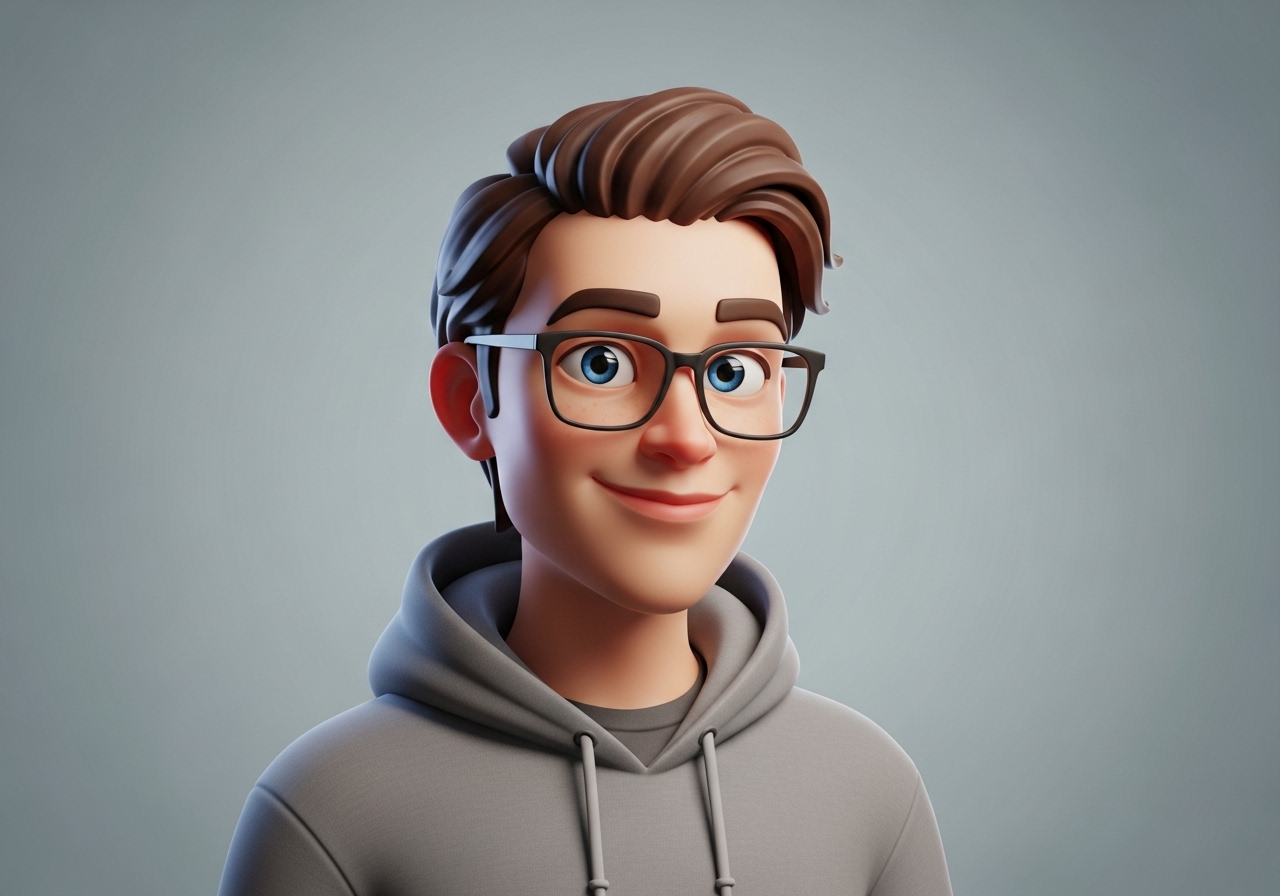
Hey you, yes, YOU scrolling at 11 p.m. wondering if your profile picture still looks like you from 2018… I feel you. I’m Elizabeth Gomez, a digital creator who’s been living online since MySpace days (don’t judge). A couple of years ago I ditched the over-filtered selfie and created my first personalized avatar. Best decision ever. Suddenly people started saying “That’s SO you!” instead of “Wait… is that really Elizabeth?”
If you’ve ever felt shy on camera, bored of stock photos, or just want to protect a little privacy while still feeling authentic, this post is your warm hug. Let’s talk about why personalized avatars are blowing up in 2025 and how you can make one that actually feels like home.
What Exactly Is a Personalized Avatar (And Why It’s Not Just a Cartoon)
- What Exactly Is a Personalized Avatar (And Why It’s Not Just a Cartoon)
- Real-Life Ways People Are Using Personalized Avatars Right Now
- 5 Beginner-Friendly Tools to Create Your Own Personalized Avatar in Under 15 Minutes
- My Honest Step-by-Step to Make an Avatar That Actually Feels Like YOU
- The Emotional Side Nobody Talks About
- Ready to Meet the Digital Version of Beautiful You?
Think of it as your digital twin — but the version of you that always has good lighting, perfect skin, and never blinks weird in photos.
A personalized avatar is a custom-made illustration, 3D model, or AI-generated image that looks unmistakably like YOU (or your dream vibe). It’s not a random Bitmoji or a generic anime character. It’s crafted with your face shape, hairstyle, favorite earrings, skin tone, and even that tiny freckle on your left cheek if you want.
I made mine after a bad hair week in 2023. I was launching a course and didn’t want to show up with frizz on every thumbnail. My avatar? Curly hair tamed, warm smile, wearing my signature mustard-yellow blazer. People loved her more than real-life me sometimes (rude, but true).
Real-Life Ways People Are Using Personalized Avatars Right Now
You don’t need to be a tech wizard. Here’s where I see friends and followers using them beautifully:
- Coaches & course creators → Consistent branding across YouTube thumbnails, emails, and workbooks without doing a photoshoot every month.
- Introverted entrepreneurs → Showing personality without being on camera 24/7 (huge for my anxious girlies).
- Remote teams → Fun yet professional Zoom backgrounds or Notion profile pics that feel human.
- Content creators protecting privacy → Especially women who get creepy DMs (been there).
- Job hunters & freelancers → A polished LinkedIn avatar that stands out from blurry selfies.
One of my students, Maria, used her avatar on her resume header. She got 3 interview calls in a week and swears the playful-yet-professional vibe sealed the deal.
5 Beginner-Friendly Tools to Create Your Own Personalized Avatar in Under 15 Minutes
No design skills needed — promise.
1. Ready Player Me (My personal favorite)
- Free 3D avatars from just one selfie
- Works with VR, Zoom, and most gaming platforms
- Tip: Wear solid colors when taking the selfie for best results!
2. Avataaars + Custom Modifications (Free & super cute)
- Open-source illustrator-style avatars
- I use this for my newsletter headers — takes 5 minutes on avataaars.com then tweak in Canva
3. Lensa Magic Avatars (The viral AI one)
- Costs ~$8 one-time
- Gives you 50+ artistic versions (ethereal, cyberpunk, studio portrait)
- Warning: Can be addictive — I now have a folder called “Elizabeth but make it fantasy queen”
4. Bitmoji Deluxe (Yes, they finally added brown skin tones that actually look brown!)
- Perfect if you want playful and expressive
- Syncs with Snapchat and keyboard
5. Fiverr/Upwork (For the premium treatment)
- Search “custom illustrated portrait”
- $30–$80 gets you a hand-drawn version that feels like art
- I splurged on mine for my website rebrand — still using it two years later
My Honest Step-by-Step to Make an Avatar That Actually Feels Like YOU
- Decide the vibe: Playful? Corporate-chic? Artsy? Write down 3 words that describe your personality.
- Gather 2–3 clear photos of yourself (smiling, neutral, side profile helps AI tools).
- Pick one tool above and play — don’t overthink the first try.
- Tweak tiny details: glasses, hijab style, vitiligo patches, hearing aids — whatever makes you YOU.
- Save in different formats (PNG with transparent background is gold).
Pro tip from me: Make 3 versions — one super realistic, one illustrated, one slightly stylized. Test them on Instagram Stories polls (“Which one feels more like me?”). My audience picked the illustrated one every time.
The Emotional Side Nobody Talks About
Here’s the part that makes me tear up a little.
When I first shared my avatar publicly, someone commented: “Thank you for showing that curly-haired Latinas with glasses can be course creators too.” I cried in my car. Representation matters, even in cartoon form.
Your avatar isn’t just pixels — it’s permission. Permission to take up space exactly as you are, without apology.
Ready to Meet the Digital Version of Beautiful You?
Sweet friend, you deserve to feel proud every time someone sees your face online — real or illustrated. Start small today. Snap a selfie, open Ready Player Me or Lensa, and play for 10 minutes. I promise you’ll smile at the screen and think “Wow… that’s really me.”
Drop your new avatar in the comments when you make it — I can’t wait to meet digital-you! ✨
And if you want my free “Perfect Avatar Color Palette Cheat Sheet” (the exact hex codes I use for skin tones that actually photograph well), grab it here → [link in bio or sidebar].
You’ve got this.
Love always,
Elizabeth Gomez
Your curly-haired, avatar-obsessed friend ♡